

Reader-supported note: Some links in this guide are affiliate links. If you use them, we may earn a small commission at no extra cost to you. It keeps Balanced Travel independent, useful, and allergic to generic travel advice. Last updated: July 2026. We update this guide as travel tools change, break, improve, or become useless little vampires.
The best travel apps are not the loudest, the newest, or the ones with a venture-funded turquoise logo.
Most travel apps are digital clutter with a passport icon. You download them during an airport panic, open them twice, then abandon them next to the meditation app you swore would make you a better person.
The right travel apps are different. They reduce friction. They keep you from becoming feral at baggage claim. They help you move through a place with enough control to actually notice where you are. Because that is the point. Not collecting apps. Not building a phone full of travel-tech cosplay. Not letting an algorithm plan your personality. The point is to land, move, spend, translate, listen, find your way, and get on with the actual business of travel: paying attention.
This is the Balanced Travel app stack: AI, maps, money, translation, bird calls, itinerary control, and the quiet little tools that keep a trip from turning into a logistical hostage situation.
Travel deeper. Stay longer. Disappear beautifully.
Download the Balanced Travel Immersive Guide: a preview for slow travelers, long-stay travelers, and anyone tired of treating beautiful places like a checklist.

Best Travel Apps for 2026: The BT Rule
Before you download another turquoise little icon promising “seamless travel,” ask one question:
What problem does this solve?
A travel app should do at least one of these things:
- help you plan with less overwhelm
- help you move through a place
- help you stay connected
- help you spend smarter
- help you communicate respectfully
- help you notice something you would have missed
- help you stop digging through email like a raccoon with Global Entry
If it does none of that, delete it. Your phone is not a junk drawer with roaming data.
1. AI travel assistant: for killing the blank-page panic
AI is useful for travel planning in the same way a sharp assistant is useful: it gets you moving.
It can help you rough out neighborhoods, compare destinations, build a first-pass itinerary, find the logic of a route, generate packing lists, and turn a vague idea like “two weeks in Thailand, not touristy, good food, slow mornings” into something less emotionally gelatinous.
What it should not do is replace judgment. AI will confidently suggest a “hidden gem” that may be closed, mediocre, invented, or located beside a highway with the ambiance of a dental bill.
Use it for structure. Verify like an adult.
Best for
- first-pass itinerary planning
- neighborhood comparisons
- packing lists
- food and café research
- long-stay planning
- turning vague travel desires into a usable structure
BT use case
Ask better questions.
Not: “Plan my trip to Bangkok.”
That is how you get internet slop.
Ask: “Build a slow-travel Bangkok plan for a couple staying near Phrom Phong for two months. Prioritize cafés, wellness, night markets, walkable neighborhoods, good food, air-conditioned work spots, and one elevated dinner per week.”
That gives you something to work with. AI is not the oracle. It is the first draft. The human still needs taste.
2. GuideGeek: for AI travel help without downloading one more app
GuideGeek is worth knowing because it works inside messaging apps like WhatsApp, Instagram, and Messenger.
That matters. The last thing most travelers need is another app demanding a login, a password, a verification code, a blood sample, and permission to send notifications until death.
GuideGeek behaves more like a travel chatbot you can message in the same places you already communicate.
Best for
- quick travel questions
- early itinerary brainstorming
- destination ideas
- restaurant and activity suggestions
- family or group travel planning
- asking oddly specific questions without shame
BT use case
Use it when you want a fast second opinion.
“Where should we base ourselves in Mexico City if we want walkable cafés, design shops, good dinners, and less chaos than Roma Norte?”
“Give me three calm but not boring neighborhoods in Bangkok for a long stay.”
“What should we do in Chiang Mai when we are burned out and do not want another temple checklist?”
This is where AI shines: reducing planning friction. Just remember the rule. Verify hours, routes, reviews, prices, closures, visa details, medical advice, and anything involving the phrase “easy transfer.”
Travel AI is clever. It is not your mother, your lawyer, or your local friend with standards.

3. Google Maps: the unsexy app that runs the whole trip
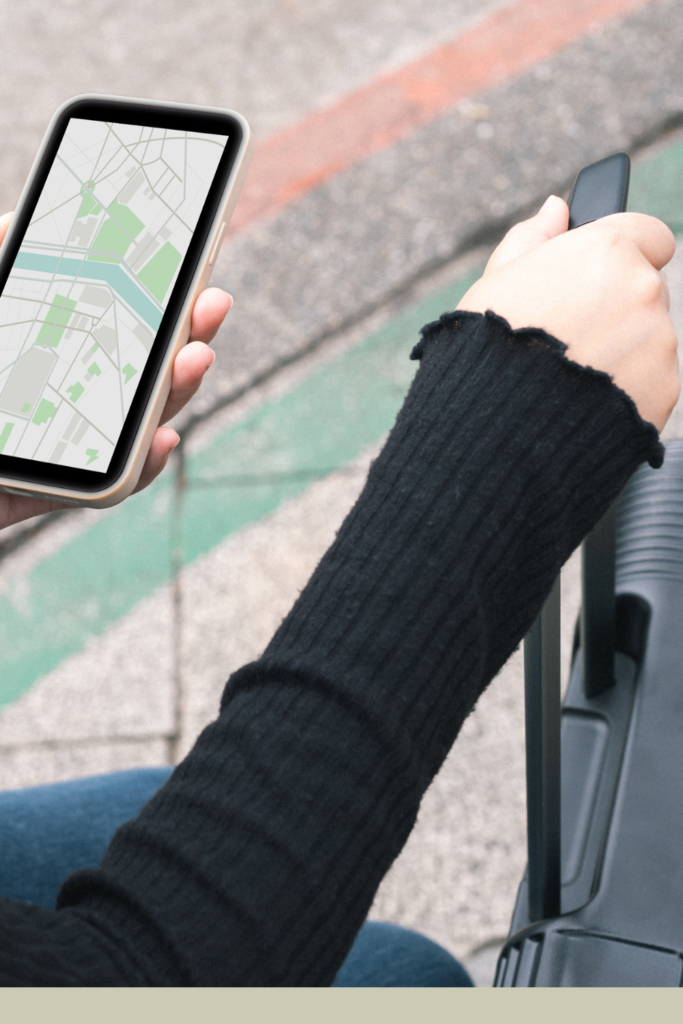
Google Maps is not sexy. Neither is plumbing. Both become very important when they stop working. Most people use Google Maps only when they are already lost. That is not the move. Use it before you arrive. Build your own field guide.
Create saved lists for:
- cafés near your apartment
- restaurants worth the walk
- pharmacies
- hospitals
- grocery stores
- spas
- night markets
- coffee shops with actual seating
- “backup dinner when everyone is hungry and fragile”
Download offline maps. Save your hotel. Save your apartment. Save your airport pickup point. Save the restaurant you keep forgetting the name of, even though you apparently “love it.”
This is also one of the places where Balanced Travel leaves a real-world trail. BT has a Google Maps profile, and readers can often find our reviews, photos, and notes from places we have visited abroad. Not every stop becomes a full blog post. Some places are simply documented in the wild: a café worth returning to, a hotel that photographs better than it behaves, a restaurant that deserves more attention, or a spot that quietly earns its place in the travel rhythm.
That matters because travel advice should have fingerprints on it. Not just scraped lists. Not recycled “must-see” content. Actual meals, actual streets, actual rooms, actual judgment.
Best for
- offline navigation
- saved places
- neighborhood planning
- restaurant mapping
- long-stay rhythm
- route sanity
- checking BT reviews and field notes from trips abroad
BT use case
For a long stay, create lists by neighborhood.
In Bangkok, that might mean:
- Phrom Phong
- Ekkamai
- Thong Lo
- Ari
- Riverside
- Old Town
This is how a city starts to become usable instead of just impressive.
The real luxury is not a five-star lobby. It is knowing where to get coffee, medicine, dinner, and a clean exit route before your nervous system starts negotiating with traffic.
When you are researching a destination, check Google Maps the way you would check a trusted friend’s margin notes. Search the place, look at recent photos, read the patterns in reviews, and when you come across Balanced Travel notes or photos, use them as part of the larger field guide. Good travel planning is not about outsourcing your taste. It is about gathering enough honest signals to make better decisions.
4. Merlin Bird ID: for remembering travel is not just logistics
This is not a standard travel app. Good.
Merlin Bird ID, from the Cornell Lab of Ornithology, helps identify birds you see or hear. It can work from a few simple questions, a photo, or a sound recording. It is powered by eBird, one of the world’s largest bird-sighting databases, which means this is not some novelty app guessing “small brown bird, good luck.”
It is one of those tools that changes how you move through a place.
Suddenly, the sound outside your bungalow is not just “nature.” It is a species. A call. A tiny clue that the world has been performing an opera around you while you were busy checking restaurant reviews.
That is travel. Not another checklist. Not another rooftop. Not another forced “hidden gem.” Just standing somewhere unfamiliar and realizing you are not the only one passing through.
Best for
- slow mornings
- nature walks
- retreats
- beach stays
- jungle stays
- families
- curious travelers
- people who want to notice more and consume less
BT use case
Use Merlin when you are somewhere quiet enough to hear yourself again. Samui mornings. Jungle cafés. Mexican courtyards. Thai gardens. A resort balcony before everyone starts their vacation.
Open the app. Let it listen. Find out who else is awake. Merlin is the rare travel app that does not push you to do more. It teaches you to pay attention. Frankly, a scandalous concept.



5. TripIt: for keeping the moving parts from mutating
TripIt is not glamorous. That is the point. It is where flights, hotels, car rentals, confirmations, and small logistical sins go to become manageable.
If your trip has more than three moving parts, use something like TripIt. Flights, airport transfers, hotels, apartments, domestic hops, dinner reservations, ferry tickets — all of it needs to live somewhere other than the haunted swamp of your inbox. Because at some point, you will be tired, hot, under-caffeinated, and standing at a counter while someone asks for a confirmation number.
That is not the moment to discover your organizational system was “vibes.”
Best for
- multi-stop trips
- business travel
- family travel
- long-haul flights
- apartment/hotel transitions
- people who pretend they will remember things
BT use case
Use TripIt for the spine of the trip. Not every café. Not every soft little wander. Just the pieces that can ruin your day if lost. Flights. Stays. Transfers. Reservations. Rental cars. Ferries. The bones. The rest of the trip can breathe.
6. Wise: for money abroad without the polite robbery
Currency conversion is where travelers quietly bleed money. A little fee here. A lazy exchange rate there. A “dynamic currency conversion” button at checkout that feels helpful until you realize it is wearing a tiny mask. Wise is one of the few money tools that have genuinely earned a place in the long-stay travel stack.
We use Wise between Mexico and Thailand, and it has been easy, fast, and clean for cross-border money movement. That matters when travel stops being a vacation and starts becoming a life with rent, transfers, deposits, groceries, taxis, and the occasional “why is my U.S. bank acting like Thailand is a mythological realm?” moment.
Best for
- long-stay travel
- multi-currency living
- paying people abroad
- moving money between countries
- watching exchange rates
- reducing fee nonsense
BT use case
Use Wise as part of your financial travel setup before you leave. Not while standing at an ATM in humidity with a line behind you and your partner asking whether this is “normal.”
Set up the account. Understand your limits. Test a small transfer. Know what card or account you plan to use for daily spending, emergency backup, rent, and larger payments.
This is not glamorous work. It is the scaffolding that keeps your trip from becoming a financial escape room.
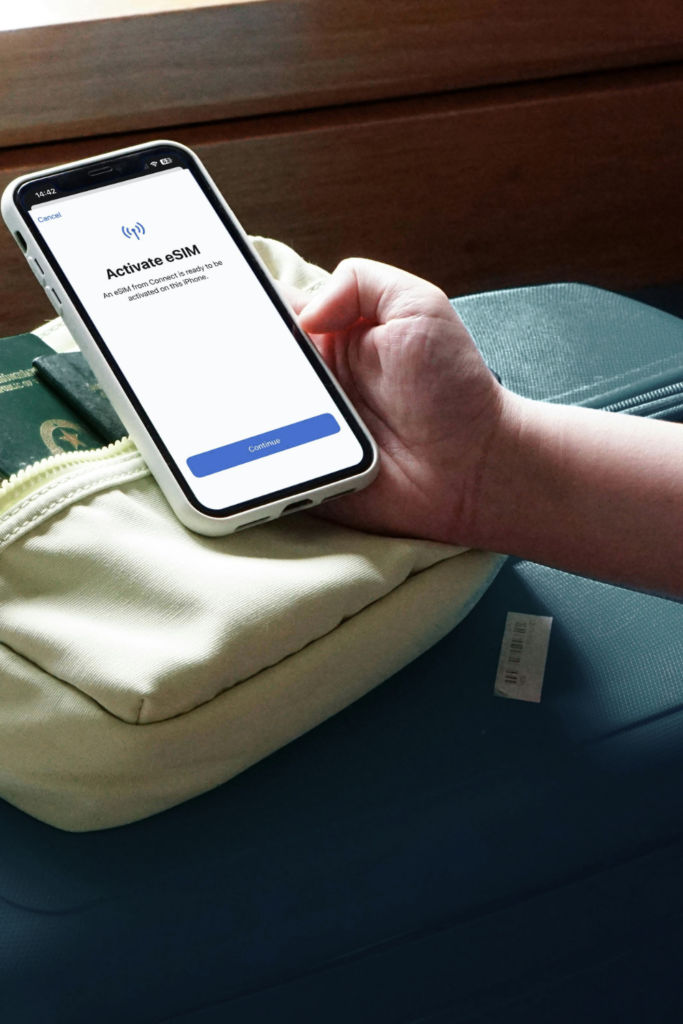
7. KnowRoaming or a reliable eSIM app: for landing connected
Arriving without data is not romantic. It is how you end up sweating outside an airport trying to resurrect your personality through public Wi-Fi.
A reliable eSIM gives you mobile data before you start bargaining with airport kiosks, SIM trays, and the spiritually corrosive phrase “free airport Wi-Fi.”
You want data for:
- maps
- Grab or ride apps
- hotel directions
- translation
- airport pickup messages
- the ability to prove you are not, in fact, lost forever
Best for
- international arrivals
- airport transfers
- digital nomads
- long-stay travelers
- multi-country trips
- anyone who uses maps like a nervous system
BT use case
Install and test your eSIM before you need it. Not in the taxi queue. Not outside customs. Not while your luggage rolls away from you like it has better plans.
Before.
KnowRoaming is a good fit for this because it solves a real travel problem: arriving with data handled. That is not sexy. Neither is oxygen. Both become memorable when missing.
8. Rome2Rio: for finding out whether the route is sane
Rome2Rio answers a very important travel question: “Can we actually get there without ruining the day?” This is the app for understanding how to get from place to place by plane, train, bus, ferry, car, or some suspicious combination of all five.
It is especially useful when you are planning regional travel and trying to decide whether a place is gracefully reachable or technically possible in the way dental surgery is technically possible.
Best for
- multi-city trips
- regional travel
- train and ferry planning
- comparing transport options
- deciding whether a day trip deserves to live
BT use case
Use Rome2Rio before emotionally committing to a route. Some places look close on a map and behave like a personal attack in real life. If the journey requires four transfers, a ferry, a bus station described online as “fine,” and a final taxi where no one has seen your hotel before, perhaps reconsider.
Balanced Travel is not about doing less because you are boring. It is about not wasting your life force on logistics that will never love you back.
9. Wanderlog: for planning without spreadsheet rage
Wanderlog is useful when you want the trip to have shape without turning it into a corporate retreat. It lets you build an itinerary, save places, map the day, collaborate with other travelers, and keep notes in one place. This is especially helpful if you are traveling with another person, because “I’m easy” is one of the great lies of modern travel. Nobody is easy at 6:15 p.m. when lunch was inadequate, and dinner is still theoretical.
Best for
- visual planning
- couples travel
- group trips
- organizing saved places
- building a loose daily structure
- preventing the “what do you want to do?” spiral
BT use case
Use Wanderlog for the soft plan. Not every hour. Not a clipboard. Not a hostage document with color coding.
Something like:
- morning café
- one meaningful stop
- long lunch
- rest
- market or dinner
- clean exit
That is enough. A good itinerary should support the day, not strangle it.
10. DeepL or Google Translate: for not being useless in public
Translation apps will not make you fluent. They will make you less useless in public, which is already progress. Use DeepL or Google Translate for menus, signs, messages with hosts, pharmacies, laundry instructions, transport questions, and the delicate art of not assuming everyone should speak English because you bought a plane ticket.
Best for
- menus
- pharmacies
- taxis
- apartment check-ins
- local signs
- basic courtesy
BT use case
Download the language pack before arrival. Learn five phrases. Use the app as support, not as a substitute for effort. A little language humility goes a long way. You do not need to be fluent. You do need to avoid treating the world like your customer service desk.
The apps we are not worshipping
Some travel apps are useful, but they do not need main-character energy.
Tripadvisor
Useful for broad patterns. Dangerous as gospel.
Treat it like a public opinion landfill with occasional diamonds. If five people mention the same issue, believe the pattern. If one person is furious because the soup was “too local,” move on.
Expedia
Good for comparing hotels, flights, packages, and general pricing. Less interesting as a core travel tool if you are building a more intentional trip. Use it for research. Book thoughtfully.
Hopper
Helpful for price watching, but not a travel oracle. Use it as one data point. Do not hand your entire trip to a cartoon rabbit with push notifications.
Roadtrippers
Useful if you are doing an actual road trip. Less useful if you are landing in Bangkok for two months and trying to find the best café within walking distance of your apartment.
Specific tool. Specific job.

How to set everything up 48 hours before departure
Do this two days before you leave:
- Add flights, hotels, apartment details, and transfers to TripIt.
- Save your arrival airport, hotel, apartment, and first-week essentials in Google Maps.
- Download offline maps.
- Use AI or GuideGeek to sanity-check your first few days.
- Use Rome2Rio for any transfer, ferry, or regional route that looks too easy.
- Build a loose itinerary in Wanderlog if the trip has multiple stops or people.
- Set up Wise and test what you need before money is urgent.
- Install your eSIM and understand the activation instructions.
- Download your translation language pack.
- Download Merlin bird packs for your destination if you are headed somewhere with mornings worth hearing.
- Screenshot anything critical because technology loves betrayal.
This is the boring work that makes the beautiful part possible. Nobody wants to think about data, maps, transfers, money, birds, and confirmation numbers. That is exactly why you should.
Final word
The best travel apps are not there to make you more productive. God forbid. They are there to make the logistics disappear enough that you can actually notice where you are. That is the entire point of Balanced Travel: not more movement, but better presence. Less panic. More taste. Fewer frantic airport rituals. More long lunches where your phone stays face down because the system is already working.
Use AI, but keep your judgment.
Use maps, but still look up.
Use Wise before the money gets weird.
Set up your eSIM before the airport turns you into a damp little cautionary tale.
Open Merlin when the world is making noise, and you finally have the sense to listen.
Then let the destination do what it came to do: rearrange you a little.
You can also find Balanced Travel on Google Maps, where we share reviews and photos of places we visit abroad. Think of it as the less-polished field notebook: fewer grand declarations, more receipts.
For more slow travel systems, packing strategies, and long-stay field notes, visit BalancedTravel.com and follow @instabalancedtravel on Instagram.
Travel deeper. Stay longer. Disappear beautifully. Download the Balanced Travel Immersive Guide: a preview for slow travelers, long-stay travelers, and anyone tired of treating beautiful places like a checklist.